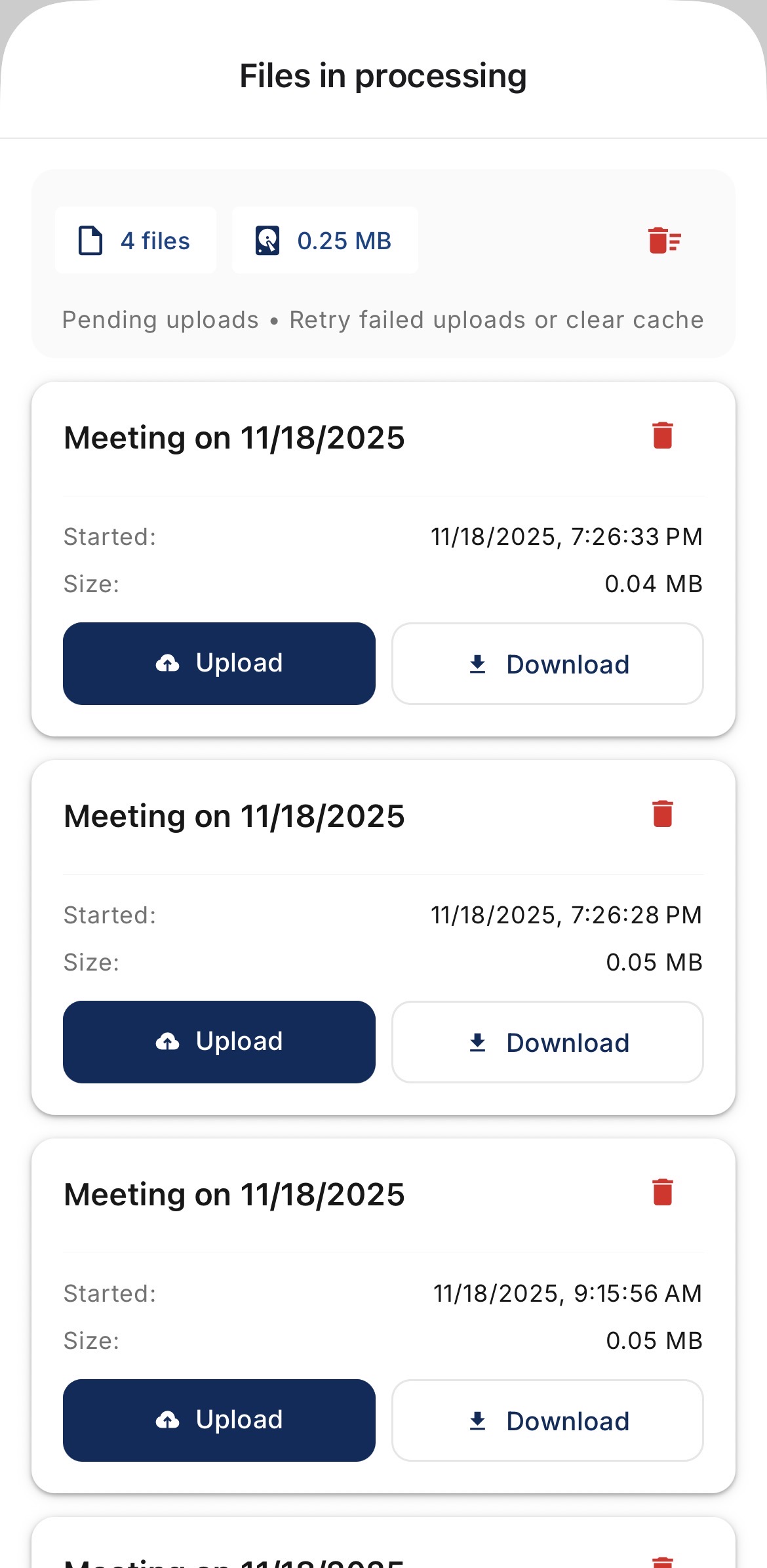
FAQ: What do I do if the transcription did not upload on mobile?
Last updated: February 2, 2026
Go to the Transcribe tab
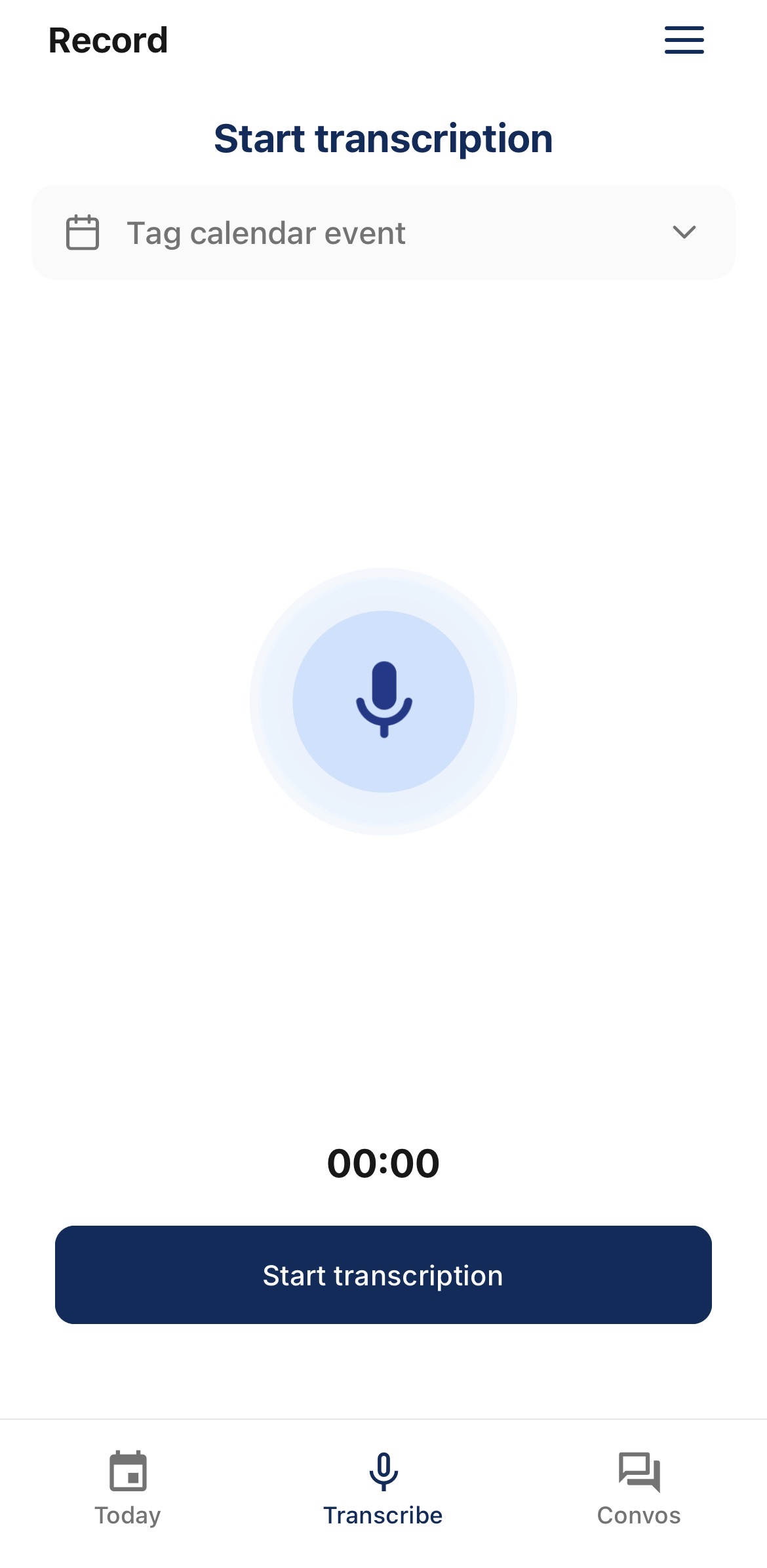
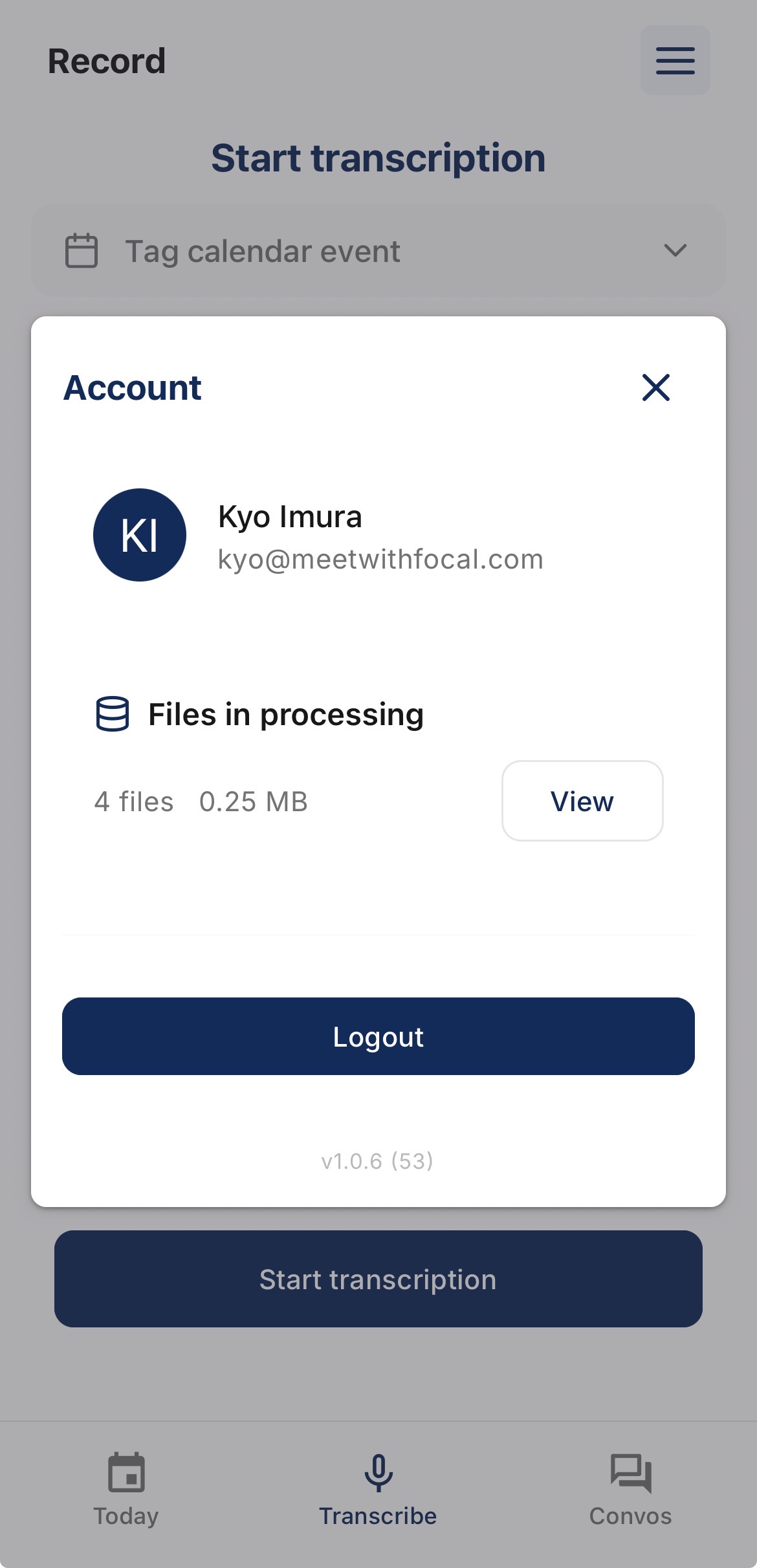
Go to Menu (☰)
Press View to see temporary data not yet processed to the cloud
Press Upload to process the data. All data is deleted upon successful processing.